Age-friendly silicone keypad design for 1.2B elderly—a case study of electric wheelchair silicone keypads
- Share
- publisher
- Suey
- Issue Time
- Aug 20,2026
Summary
Electric wheelchair silicone keypads fail aging users. We share force, size, feedback rules from real projects – 0.8–1.2N, 20–25mm, laser engraving, multimodal feedback. Practical guide for age‑friendly instrument design.
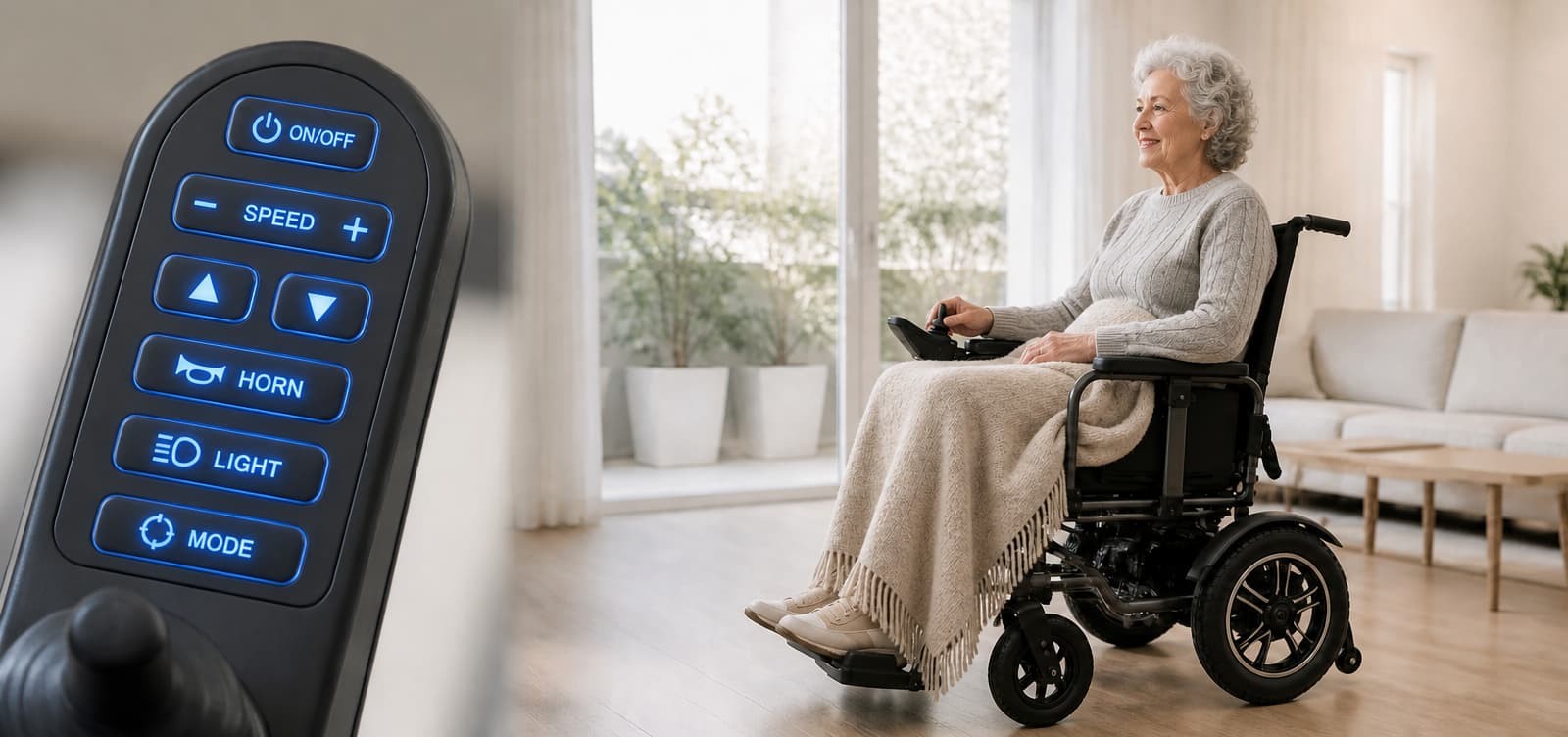
Silicone keypad age-friendly design for 1.2B seniors—case study based on e-wheelchair Silicone Keypads
Margaret is 70 and uses an electric wheelchair every morning. One day she reached for the power button on her controller. The button was tiny, the label was fuzzy even with glasses, and when she pressed it she felt nothing definite — just a soft mush. She pressed again, harder. The wheelchair lurched forward one speed level too fast. In panic she stabbed at the speed‑down button, but her finger slid sideways and hit the horn instead. The loud beep scared a dog walker half a block away.
That’s not a rare story. It happens millions of times daily, across every country.
In 2025 the global population aged 60+ hit 1.2 billion — more than double the 541 million in 1995. By 2030 it’ll be 1.4 billion, and by 2050 it reaches 2.1 billion. By the mid‑2030s, people over 80 will outnumber infants. Electric wheelchairs are just one example; home monitors, TV remotes, call bells, infusion pumps — all have buttons that older users find hard to press, see, or hear.
The culprit is often the cheapest part: the silicone keypad. It’s the physical handshake between human and machine, and yet it’s the most neglected “last centimetre” in product design.
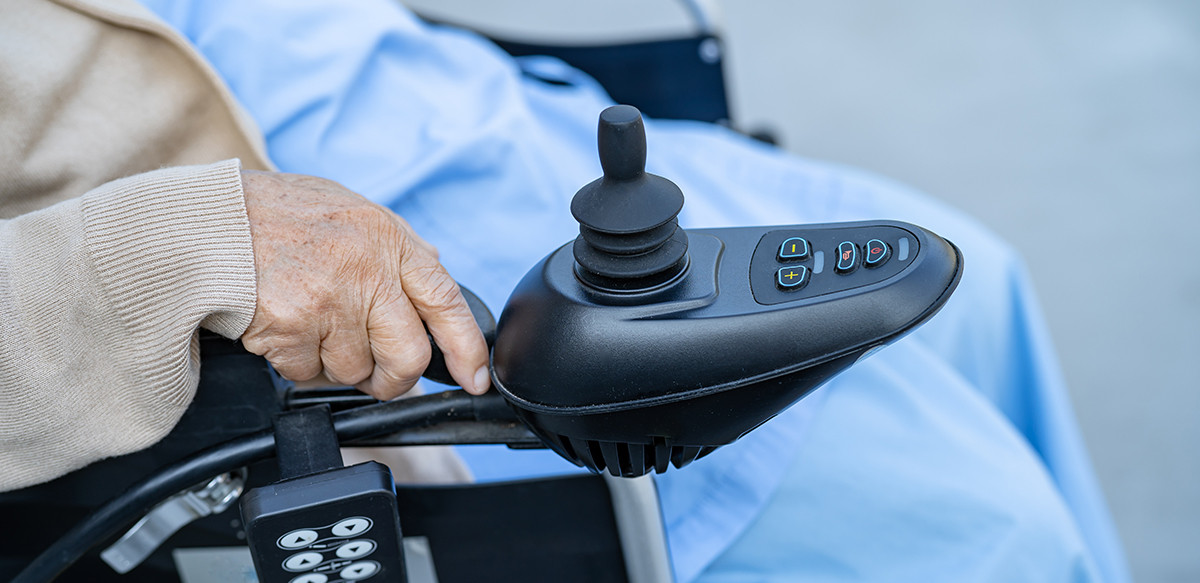
Vision, hearing, touch – they all change in ways you don’t expect
Vision isn’t just about blur. Globally at least 2.2 billion people have some near or distance impairment, and most are over 50. The lens yellows and clouds, so blue‑violet light becomes almost invisible, while red‑yellow stays readable. That’s why blue‑on‑white text looks like grey mush to many seniors. Contrast sensitivity drops, too – light grey and white become indistinguishable.
Cataracts affect 94 million people, refractive errors 88 million, macular degeneration 8 million, glaucoma 7.7 million. Presbyopia alone hits an estimated 826 million worldwide.
So for buttons: use black‑on‑white or yellow‑on‑black, big bold fonts, icons over text, and never rely on colour alone (red/green means nothing to many).
Hearing – more than 1.5 billion people have some loss; 430 million have disabling levels, and that’s heading to 700 million by 2050. Age‑related loss (presbycusis) cuts high frequencies first. That sharp “beep‑beep” you think is loud? Many seniors hear zero. They aren’t ignoring it – the sound never reaches their brain. Almost everyone over 70 has some high‑frequency drop.
So audio feedback should be low‑tone (“dum‑dum” not “beep”), loud enough, and never the only confirmation.
Touch – fingertip receptors decrease. One study found von Frey thresholds (tactile sensitivity) increase 73% from your 20s to your 80s – meaning you need more than three times the force to feel a touch. Index fingertip thresholds climb about 15% per decade. Hand strength drops too; elderly women press at about 80% of younger women. Arthritis and tremors are common.
So a light‑touch flat button feels like pressing a tabletop. They need a real “click”. Too soft and any tremor triggers it; too hard and they can’t push at all.
What we’ve learned about button force, size, and feedback
We’ve run dozens of prototypes for wheelchair controllers and other medical devices. The return force that works for most seniors is 0.8–1.2N. Below 0.8N, even a slight hand shake can unintentionally accelerate a wheelchair – a genuine hazard. Above 1.2N, we hear “too stiff” from many users.
Travel is just as critical. ISO 24553:2023 recommends 0.5–1.0mm travel and specifically notes that older adults prefer slightly longer travel so they feel the press. Too short, they think they missed; too long, it feels sluggish.
Silicone hardness (Shore A) is the dial you turn. In one wheelchair project we started with 40 Shore A (very soft). During assembly testing the conductive contacts didn’t rebound well – contact resistance fluctuated and buttons misfired. Switching to 55 Shore A with a stronger base structure fixed it overnight. 50–55 Shore A is our usual starting point for devices that need crisp confirmation.
There’s a rough rule of thumb: a 5‑point change in Shore A shifts actuation force by about 15–20gf. Typical ranges:
- 40–50A: soft, 60–100gf, short life (~100k cycles)
- 55–65A: balanced, 120–170gf, common for remotes and medical gear
- 65–75A: firm, 170–230gf, long life (500k+), industrial uses
Button size – ISO 24553 recommends 20–25mm diameter for easy finger rotation. Anything under 15mm gets missed regularly. We find 18mm as a minimum, 20–25mm ideal. Spacing: at least 5mm gap between buttons. Put power and speed controls in the easiest‑to‑reach zone; put horn and lights off to the side.
Legends – screen printing wears off in months. We always push for laser engraving – the characters are burned into the silicone and never fade. White or yellow on a dark background reads best.
Feedback must be three‑way – because seniors are most anxious about “did I press it?”. We aim for:
- Tactile – a crisp snap from the metal dome, with a springy return
- Visual – an LED blinks or the screen changes
- Auditory – a low tone, or even better, voice prompts (“Power on”, “Speed 2”, “Battery low”)
After we added voice prompts to a wheelchair line, families told us their parents stopped leaning forward to squint at the screen – they just listened and felt confident.
Let’s walk through an electric wheelchair silicone keypads
These things live outdoors, in rain, sun, heat, and cold. The silicone keypad has to handle ‑10°C to 60°C, hundreds of presses per day, with no sagging, sticking, or yellowing. Material must pass ISO 10993 biocompatibility – sweaty palms and prolonged skin contact are normal.
We applied a micro‑texture (like fine sandpaper) on the button tops. It improves grip with sweaty hands or cotton gloves – in our tests, textured buttons improved operation speed by nearly 40%.
Layout: power and speed buttons dead centre; emergency stop isolated in the top‑right corner, far from others to avoid panic mis‑presses. And because many stroke survivors have hemiplegia, we made the controller mount swappable left‑right – they can position it on their functional side.
That voice assistant we mentioned? It’s not a gimmick. For users with poor vision, it’s a lifeline. They hear “speed 2” without taking their eyes off the path.
All these tweaks came from watching seniors actually use the prototypes – not from a design manual.
Why we keep coming back to silicone
Other materials are either too rigid, wear out fast, or won’t hold legends. Silicone gives us:
- Hardness from 20 to 80 Shore A – we can dial in anything from marshmallow‑soft to crisp‑click
- High resilience – millions of cycles without permanent set
- Surface textures – matte, glossy, micro‑patterned for grip
- Laser‑engravable – legends that last forever
- Temperature range – ‑40°C to +150°C, waterproof, dust‑proof
- Biocompatible grades – ISO 10993 compliant for skin contact
That’s why you’ll find silicone in nearly every medical and assistive device.
How we actually spec a button for elderly users
Every project starts with three questions:
- Where and how often is it used? (Indoors/outdoors? Gloves? Daily press count?)
- Who’s using it? (Average age, hand strength, tremors, arthritis?)
- What feedback do they need? (Voice? LED colour? Sound frequency?)
Then we pick hardness (50–55A for wheelchairs and most medical), return force (0.8–1.2N), surface (matte/textured), and engraving. We build samples, put them in front of real seniors, watch them struggle or succeed, and refine.
One example: a smart pill‑box client wanted 1.5N force to prevent mis‑presses. We brought samples to a senior centre. Several women said they had to use their fingernails to push. We dialled it down to 0.9N and increased the button top from 12mm to 18mm. Mis‑presses actually fell – because they could aim better and didn’t need brute force to avoid accidental triggers.
There’s no magic formula. It’s trial, observation, and iteration.