2026 StairClimber Silicone Keypad Design Trends: Backlit, Low-Profile, and Anti-Mistouch
- Share
- publisher
- FromRubber
- Issue Time
- Sep 14,2026
Summary
Backlit, low-profile and anti-mistouch are not a design language but three answers to the modern cardio console becoming a lit, flat, load-bearing shelf. This article explains the light path versus seal trade, why low profile forces a steeper force transition, and why mistouch is a geometry problem that firmware can only mask.
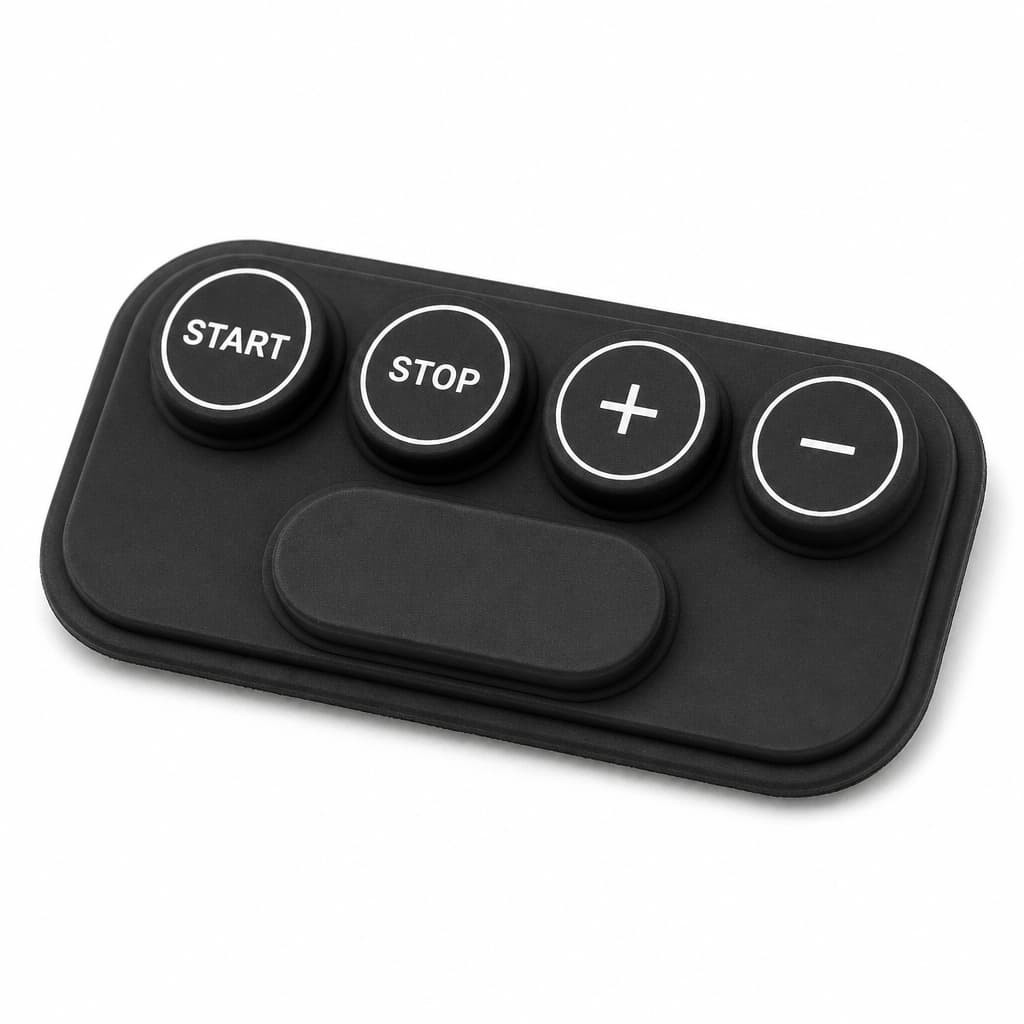
Three words keep appearing in 2026 console briefs for stair climber silicone keypads: backlit, low-profile, anti-mistouch. They get discussed as a style direction, which is the wrong frame. Each one is an answer to a specific change in how a cardio console is now used, and each one carries a cost that has to be paid somewhere else on the panel. Treating them as a look is how a console ends up flat, lit, difficult to press, and no easier to operate than the panel it replaced.
Backlight stopped being a decorative option
The reason lighting moved from premium trim to default is not that illuminated keypads look better on a product page. It is that the cardio floor got darker and the console got busier. Gym operators dim ambient lighting on the cardio deck because members ask for it, screens on the console got larger and brighter, and the phone or tablet that now sits on the console shroud puts the panel underneath it in shadow. A printed legend that read perfectly under fluorescent light reads poorly in that arrangement, and a 4 mm legend at arm's length with low contrast is a usability problem rather than an aesthetic one.
Lighting also changes what the legend can be. Etched legends that lose contrast in daylight can be read by transmitted light at night, which is why the etched-plus-backlit combination keeps appearing on equipment that runs around the clock. Design guides for silicone keypads describe the usual mechanisms: discrete LEDs behind the key, an electroluminescent layer, or a light guide film that spreads light from a small number of sources across the panel. The choice is usually made by how even the illumination has to be and how much panel thickness is available.
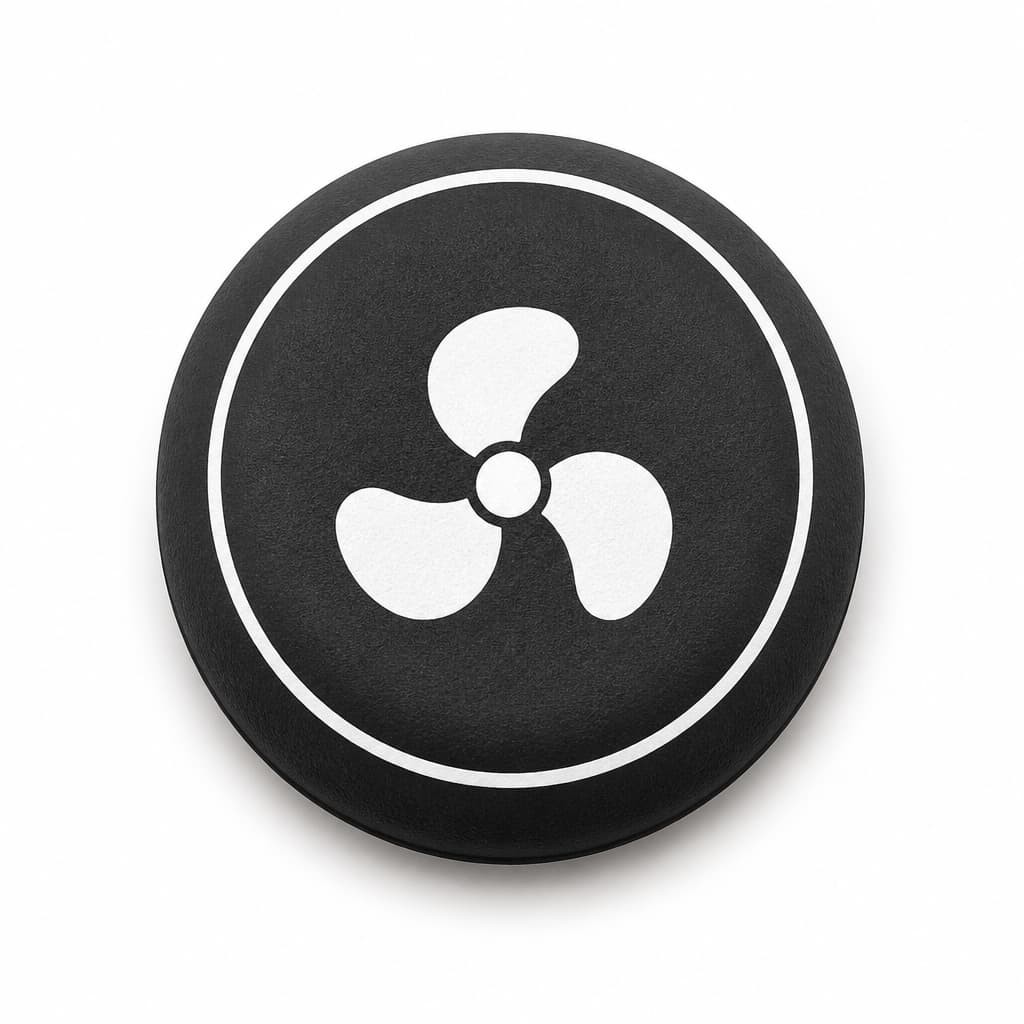
The hidden cost of a light path is a leak path
Every backlit key needs a route for light, and that route is usually a change in wall thickness, a translucent window or a light guide that crosses the sealing boundary of the panel. On a control for a machine that gets wiped with disinfectant and sometimes sprayed, that is a new place for liquid to travel, and it has to be designed rather than assumed. Sealed keypad architectures exist that reach IP67 and beyond, and light-guide backlighting is routinely combined with them, but the combination only holds when the light path and the seal are drawn together as one feature.
The visible failure mode when they are not is light bleed: illumination appearing where it should not, between keys or around a window that was supposed to be dark. It is a familiar problem on other sealed keypad applications, and the fix is usually a change to the light path geometry, not to the legend.
Low-profile is a consequence of the console becoming a shelf
A decade ago the console on a stair climber was a display and a keypad. In 2026 it is a mount, a shelf and a device holder. That single change explains the low-profile direction better than any styling trend. When the console face has to accommodate a phone, a bottle, a towel or a forearm, anything that stands proud of the surface becomes something to catch on, and anything that stands proud near the resting area becomes something that gets pressed by accident.
On a stair climber silicone keypad the mechanical argument for going lower is straightforward. A tall keytop is a lever, so a load landing on it produces torque at the cone and a higher chance of a false contact. Reducing the height reduces the lever arm, which also means the keytop can be made less rigid and the panel can be flatter without losing sealing. The cost is paid in travel: less height above the surface usually means a shorter stroke, and a shorter stroke with an unchanged snap ratio produces a press the operator can feel less clearly.
The trade every low-profile panel has to make. If travel is reduced, the snap ratio has to be defended rather than left alone. A shorter stroke needs a sharper force transition to remain legible to the thumb, and the return force still has to exceed the resting load of a hand that is leaning on the console. Low profile is not a cosmetic change to a key; it is a change to the force-travel curve that has to be re-verified on the assembled panel.
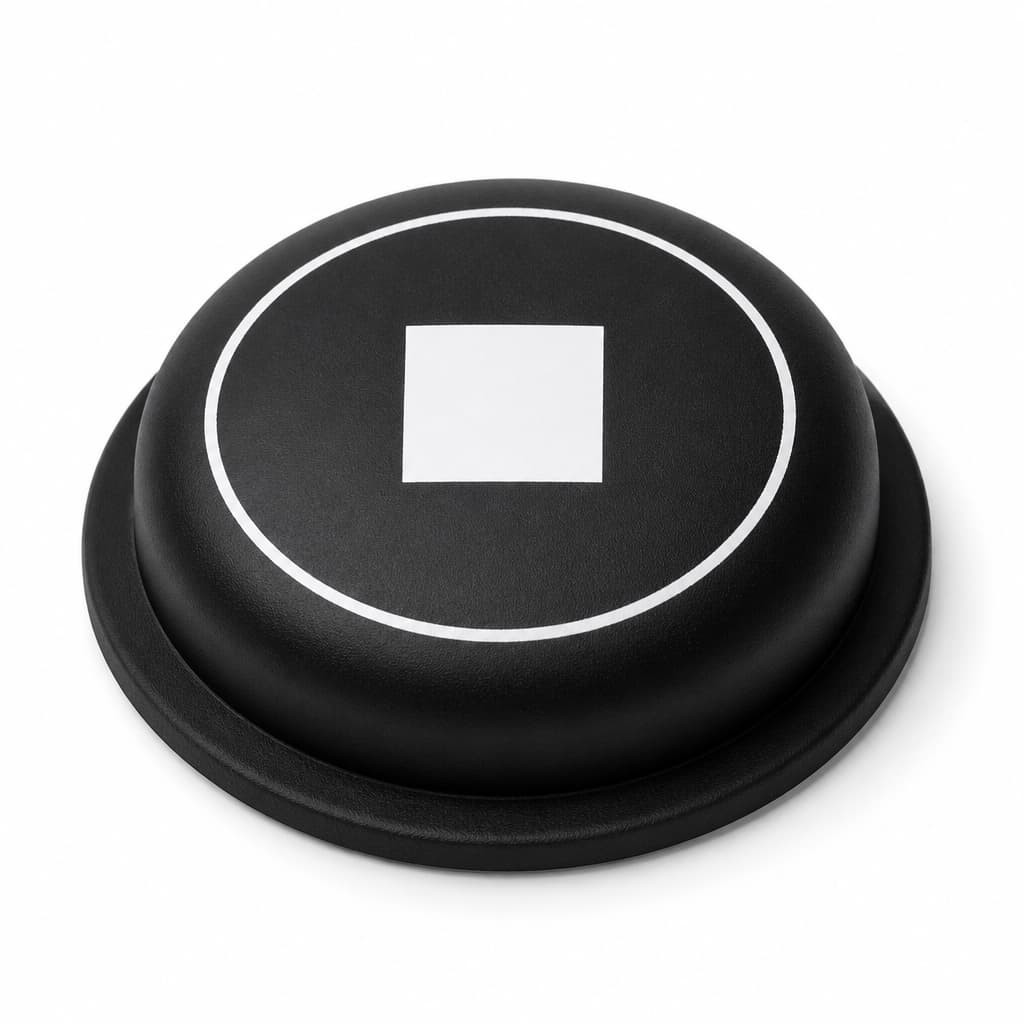
Low-profile changes what the operator can feel, not only what they can see
When the panel plane drops, the operator loses the tactile map that a tall key provided. On a console where the thumb used to find the key by its edge, it now finds a nearly flat surface with a printed ring. That is why low-profile panels usually need a stronger force signature and clearer spatial separation between keys, and it is also why they tend to use larger individual keys: a bigger target compensates for a shorter stroke.
There is a second-order effect that shows up during assembly. A flatter panel has less room for the flange to compress into the housing, so the preload that the key cone has to overcome is often higher on a slim console than on a conventional one. A low-profile panel therefore needs its return force checked against a tighter preload budget, not a looser one.
Anti-mistouch is mostly a mechanical problem being solved in firmware
The anti-mistouch requirement arrives from three directions at once. The step on a modern stairclimber is larger, so the operator stands closer to the console. The console sits lower and flatter, so the hand-rest patch and the key field overlap. And the machine is expected to keep working while somebody leans on it, holds the handrail with one hand and adjusts a phone with the other. Add to that the entrapment risk that the stairclimber safety standard addresses through an automatic stopping requirement, and it becomes clear that unintended actuation is a safety topic and not only an annoyance.
Most projects try to solve it in software first, with a press-dwell requirement, a double-press confirmation or a lockout timer. Those measures work, and they add latency. The problem is what latency does to the one key where it must not exist. If the same dwell logic that protects the speed keys also applies to the stop path, the panel has traded a mistouch risk for a stopping delay, which is a worse trade on a machine with a moving staircase.
- Separate the motion keys from the resting patch. The keys most likely to be brushed are the ones nearest the handrail and the device holder, so that is where the guard geometry belongs.
- Use geometry before logic. A raised rim around a cluster, a recessed key below the console plane, or a deliberate directional rib does the same job as a dwell timer without adding delay.
- Keep the stop key out of the scheme. Stop should be proud, unambiguous and immediate, and it should not share a guard that slows it down.
- Check the panel with a phone sitting on it. The most common real-world mistouch source on a modern console is a device resting on the shroud, gently loading the keys underneath.
The trend nobody lists: consolidation
The panel above is one moulding doing the work of five separate controls, including a large oblong key that would once have been a separate part or a decal. Consolidation is the quietest trend in console design and the one with the largest engineering consequence. Every geometry added to a single silicone part interacts with the light path, the sealing surface, the flange preload and the force-travel curve of its neighbours.
It is also the trend that makes the other three possible. Backlighting, low profile and mistouch protection all become easier to control when the panel is one part, because the light guide, the seal and the guard geometry can be designed around each other rather than being reconciled at assembly. The price is that a change to one key is a change to the tool, so the layout and the finish decisions are locked earlier than they used to be.
Case: the flat console that solved a mistouch problem by making a worse one
Symptom. A gym operator replacing an older stair climber specified a flush, low-profile console with no key standing above the panel plane. Within the first weeks of operation, members reported that the level keys were being pressed by phones resting on the console shroud, and that the display had been showing unexpected speed changes.
Measurement. The console was tested with a phone and a folded towel resting in the positions members actually used. Both loads produced partial actuation on the two outer level keys, which sat directly in the resting patch. Force-travel curves confirmed that a very small additional load was enough to close the circuit on those keys, because the low-profile design had shortened the stroke while keeping the same cone geometry.
Root cause. Two separate decisions had been made independently. The panel had been made low-profile for a flat visual line, and the mistouch response had been assigned to a firmware dwell requirement. The mechanical cause never went away: the keys were still sitting in the natural resting patch, and their reduced travel meant they actuated sooner than the previous generation. The dwell requirement then had to be extended to the speed keys, which the operators described as laggy.
Fix. A low guard ridge was added around the level key cluster and the two outer keys were recessed below the console plane, while the stop key was left proud at its original height. The dwell requirement on the motion keys was removed once the mechanical cause was addressed, and it was never applied to the stop path. No change was needed to the electronics or to the firmware architecture.
What it suggests. On a modern console, mistouch is a geometry problem that software can only mask. Solve it where the loads actually land, and the firmware gets to stay simple.
FAQ
Does a backlit stair climber silicone keypad need a different seal design?
Yes, because the light path crosses the sealing boundary. The seal has to be designed together with the light window, the wall thickness around it and the gasket or flange that carries the seal, rather than being added afterwards. A backlit panel that uses the same seal architecture as an unlit one is where light bleed and moisture ingress both come from.
How low can a key sit before it stops feeling like a key?
There is no fixed number, because the limit is set by the force-travel curve rather than by the height. What matters is that the reduced stroke still produces a clear force transition and that the return force still lifts the keytop against the resting load of a hand. Once those two conditions are met, a low-profile key can feel perfectly definite.
Is it acceptable to prevent mistouch with a press-and-hold requirement?
On low-consequence keys, yes. On the stop path, no. A dwell requirement is a delay, and the stopping function is the one place where a delay turns a convenience feature into a safety concern. If mistouch protection is needed near the stop key, it should come from geometry that keeps the key out of the resting patch rather than from timing logic.
Conclusion
Backlit, low-profile and anti-mistouch are not a design language. They are three answers to the fact that a cardio console is now a lit, flat, load-bearing surface that people lean on while holding a phone. Each answer moves the panel further from the simple printed keypad it replaced, and each one adds a requirement to the seal, the light path or the force-travel curve. Design them together, decide them before the texture and the layout are locked, and a 2026 stair climber silicone keypad can be flat and lit without becoming vague to press. FromRubber moulds custom silicone keypads and button panels for fitness and industrial equipment, including backlit and low-profile constructions, and reviews light path, sealing and force data against the customer's console design before tooling is cut.
This article was written by the moulding engineering team at FromRubber, a custom silicone keypad and button manufacturer in Dongguan, China. We mould control panels for fitness, medical and industrial equipment. The checks described here are the ones we run on our own shop floor before a panel is released to tooling.
Related reading
Sources
- [1] JASPER, Custom silicone rubber keypads — conductive rubber contacts, backlit keypad construction and laser-etched legends for OEM control panels. https://www.jasperele.com/products/silicone-rubber-keypads/
- [2] Rubber Keypad, Backlighting options for a custom silicone rubber keypad — illumination sources and light guide distribution. https://www.rubber-keypad.com/Backlighting-Options-For-A-Custom-Silicone-Rubber-Keypad-id45552367.html
- [3] Epec Engineered Technologies, User interface window transparency for backlit LEDs. https://blog.epectec.com/user-interface-window-transparency-for-backlit-leds
- [4] ISO 20957-8:2017, Stationary training equipment — Part 8: Steppers, stairclimbers and climbers — automatic stopping system to reduce the risk of entrapment (5.9.3) and manual stopping system (5.9.2). https://cdn.standards.iteh.ai/samples/70975/0fab6016375c465282ea8d5b8d3ea2fc/ISO-20957-8-2017.pdf
- [5] Epec Engineered Technologies, Rubber Keypad Design Guide — force, travel and life cycle guidance for low-profile designs. https://www.epectec.com/keypads/design/
- [6] J.W. Electronic Components, Design guide for rubber keypads — snap ratio and stroke definitions. https://www.jw-electronic-components.de/pdf/Design%20guide%20for%20rubber%20keypads.pdf
- [7] FromRubber, Why silicone keypad backlight bleed occurs on sealed equipment. https://www.fromrubber.com/blog/Why-Silicone-Keypad-Backlight-Bleed-Occurs-on-Night-Vision-Goggles_b31999
- [8] FromRubber, Silicone rubber keypads — moulded keypad constructions including backlit options. https://www.fromrubber.com/products2132196/Silicone-Rubber-Keypad.htm