Silicone Keypad for Conductivity Meter: What Makes a Reliable Keypad for Portable Conductivity Meters?
- Share
- publisher
- FromRubber
- Issue Time
- Sep 10,2026
Summary
A field perspective on what a portable conductivity meter actually requires from its silicone keypad: sealing, tactile feedback, conductive contacts, actuation force and production consistency, using the WTW ProfiLine Cond 3110 as a documented reference.
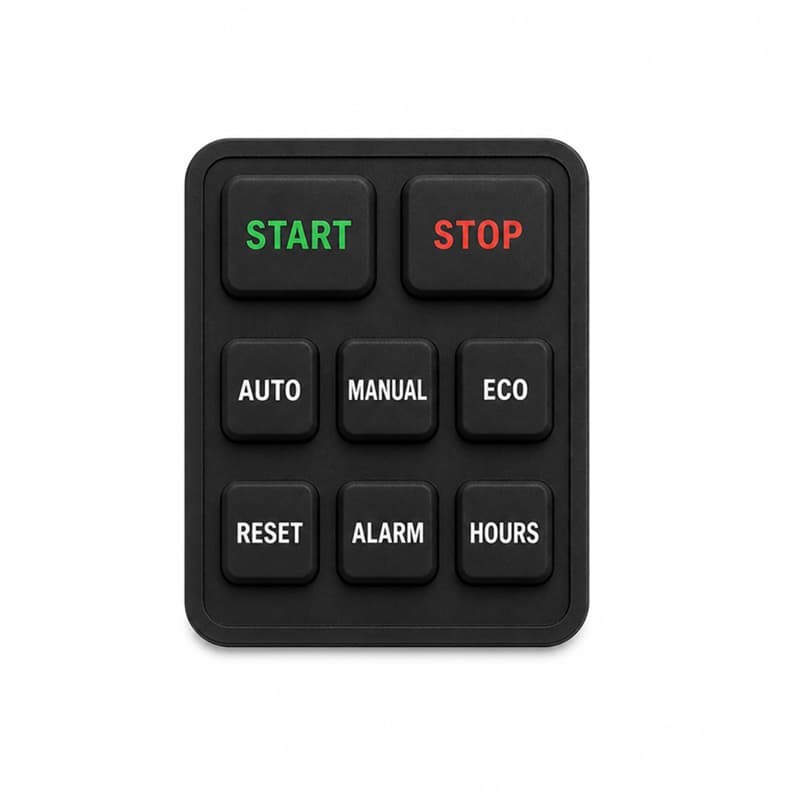
Every portable conductivity meter in the field shares one quiet problem: the part users touch most is the part most projects think about last. Before a measurement is taken, before calibration is started, an operator has to find the right key, often with wet hands, sometimes with gloves, occasionally in rain, and that key has to register reliably every time, for years. A silicone keypad for conductivity meter designs carries more responsibility than its price suggests. It is a mechanical interface, an electrical switch, a sealing member of the housing and a user interface, all in one molded part. Get the balance wrong, and the meter can read perfectly in the lab while failing quietly in the field.
This article is written from the keypad side of the project. The focus is not the instrument itself but the design, electrical, sealing and manufacturing decisions that decide whether a custom silicone keypad for a conductivity meter survives its real working life, and what OEM teams should check before tooling starts.
What Is a Silicone Keypad for Conductivity Meter?
A silicone keypad for conductivity meter applications looks like a simple rubber mat with bumps. It is not. One molded silicone part has to satisfy four interface contracts at the same time:
- Mechanical — the keys move and return with a defined force and travel, thousands of times.
- Electrical — each key closes a circuit on the PCB with stable contact resistance.
- Enclosure — the keypad seals the opening in the housing against water and dirt.
- User — layout, legends, colors and feel let an operator work without looking, even in gloves.
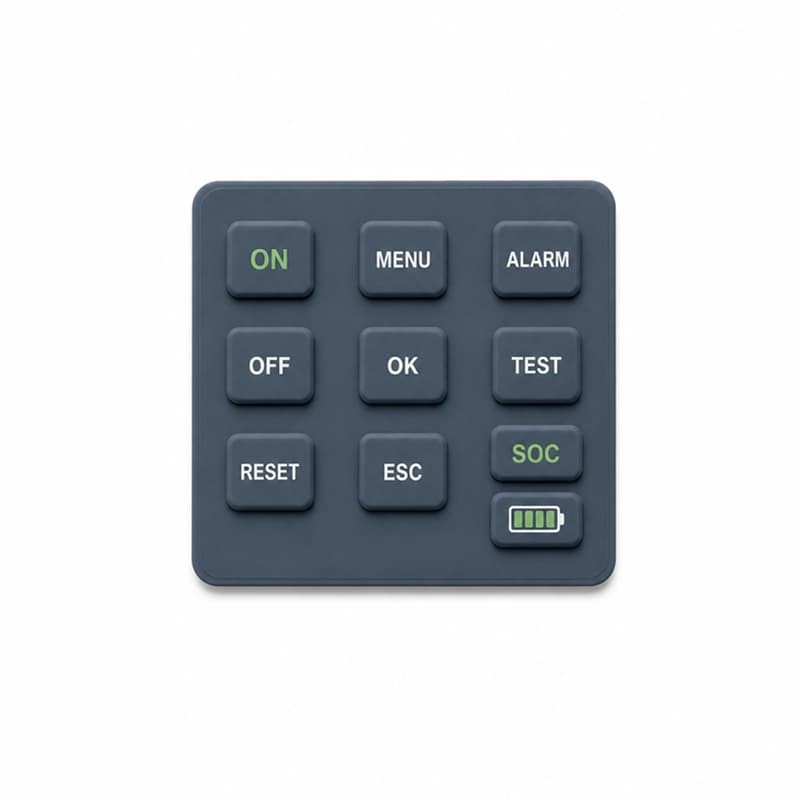
What makes this interesting, and difficult, is that the four contracts conflict. A thicker web seals better and lasts longer but feels stiff. A taller key is easier to press with a glove but changes how the part seals and how it fits behind the housing. The engineering job is not maximizing any single property; it is finding the combination that satisfies all four at once. That is why the same silicone supplier can produce an excellent keypad for one meter and a mediocre one for another: the part is only as good as the interface requirements it was designed against.
The Conditions That Actually Drive the Design
Most keypad specifications are written in a dry room, but a portable conductivity meter works in wet ones. The real design drivers are the conditions the instrument is used and cleaned under.
Water exposure
The keypad surface gets splashed, and the housing opening behind it gets the rest. These are two different jobs. The top surface must shed water so droplets do not pool over the legends, and the edge geometry must work with the housing groove so water cannot reach the PCB. A smooth, slightly domed key sheds water better than a flat key with a sharp edge; sealing ribs or a gasket lip decide whether the opening survives a rinse.
Cleaning
Field instruments are wiped, with cloths, disinfectant wipes and sometimes the solvents the lab actually has, not the ones the datasheet assumed. Surface texture matters: a glossy keypad shows smears, a matte one collects dirt in the texture. Printed legends wear first where fingers hit; engraved legends survive aggressive wiping. The chemical resistance of the silicone compound and the ink system should be checked against the cleaning agents the customer actually lists.
Frequent operation
Keys on a conductivity meter typically cover power, measurement, calibration, mode, memory and menu navigation. Calibration keys see a different press pattern from menu keys: few careful presses versus many quick ones. Press frequency per key should be part of the requirement, because it decides where the web needs extra fatigue margin.
Glove operation
In the field, operators wear nitrile, latex or insulated gloves. Gloves reduce finger sensitivity and change how force is applied. Keys need enough travel and a distinct tactile event so the press is felt through the glove, and enough spacing so adjacent keys are not hit by a larger, less precise finger.
What the WTW ProfiLine Cond 3110 Shows
Rather than speculate about what portable instruments need, it helps to look at a documented example. The WTW ProfiLine Cond 3110 is a portable conductivity meter whose published materials describe its keypad explicitly. The manufacturer's product information states that the Cond 3110 has a silicone keypad with noticeable key clicks and can be operated with gloves, and that automated functions keep the number of keys small [1]. Distributor documentation adds that the instrument has an IP67 waterproof housing with a completely sealed silicone membrane keypad and tactile feedback [3].
Three observations are worth taking from this example, without over-reading it. First, the sealed silicone keypad is treated as part of the system that enables the waterproof rating, which is exactly the enclosure contract described earlier. Second, tactile feedback is documented as a design goal: noticeable key clicks exist so the operator knows the press registered. On a meter that may be read through wet gloves, tactile confirmation replaces visual checking. Third, automated functions reduce the number of keys. Fewer keys means fewer seal interfaces, fewer failure modes and a simpler layout, a decision instrument teams make before the keypad is ever specified.
This is one documented example, not a claim that every conductivity meter uses silicone keypads. But it shows the direction: when a meter is built for wet, gloved, field use, the keypad is engineered as a sealing, tactile interface, not treated as a decorative cover.
Selecting Actuation Force: More Than a Number
Actuation force is the number most often written on a keypad drawing and the least understood. What the operator actually experiences is a force curve: how the force rises as the key travels, where it peaks, where it snaps, and how much force the web returns as the key comes back. Peak force, snap point, return force, travel and tolerance together make up the feel. Published engineering guidance on silicone keypad design describes tactile response in terms of web geometry and the ratio between return force and peak force, the snap ratio, rather than a single force value [4].
For a conductivity meter keypad, different keys should not feel identical. A power key benefits from a distinct tactile event, because it is often pressed blind at the start of a task, sometimes with a gloved thumb. Navigation keys are pressed frequently and quickly; they need a light, consistent action that does not fatigue the finger. Function keys sit in between, clear enough to be told apart by feel without being heavy.
The practical point for OEM teams: define force as a curve with tolerances, not as one number, and validate it on production-intent samples rather than on a hand-built prototype. Suppliers differ in how precisely they hold force across cavities and batches; that capability is part of what you are buying, so it is worth asking how force is measured and controlled during production. No responsible supplier should quote a specific force for your keypad without measuring samples of your design, and neither should you accept a generic number from a catalog. When the feel of a handheld meter keeps coming up in reviews, the problem is often upstream of the keypad itself, a theme covered in an earlier article on what handheld meter engineers overlook when specifying a silicone keypad.
Electrical Reliability Starts Under the Key
Mechanically, a keypad can be perfect and still fail electrically on a conductivity meter, where the measurement reading itself depends on stable contact behavior. The switching happens under the key: a conductive pill, most commonly carbon-filled silicone, presses against conductive pads on the PCB and bridges them with a controlled contact resistance.
- Contact resistance — the pill and the PCB pads together define the closed-circuit resistance, and it must stay inside the range the instrument input stage accepts, over the life of the product.
- Contact area and compression — the pill must land flat, with enough compression from the web to make solid contact, but not so much that it deforms permanently.
- Alignment — the pill sits under a specific key, the pad sits at a specific position on the PCB, and their alignment depends on the keypad web geometry, the housing registration and the PCB tolerance stack. Misalignment that looks tiny on paper shows up as intermittent keys in production.
- Contamination — legend printing, handling and molding flash can leave residue near the contact zone, which is why the contact area is kept away from print bleed and why parts are handled carefully before assembly.
- Durability — every press compresses the pill; contact resistance must stay stable across the intended cycle count, which puts the pill compound and its bond to the key into the material specification, not an afterthought.
In production, electrical testing is the most direct check: each key actuated against a test pad, resistance recorded, and out-of-tolerance parts rejected before assembly. Suppliers who control pill placement, alignment and resistance batch to batch are the ones whose keypads do not cause field failures. Why pill resistance drifts between batches in the first place is examined in an earlier article on conductive pillar resistance variation across silicone keypad batches.
Geometry: The Quiet Driver of Feel and Function
Most of what a user feels about a keypad is decided by geometry, not material. Key diameter, key spacing, web thickness, the support structure under the web, button height and travel all interact, and the trade-offs are practical.
Soft feel versus precise actuation. A thin, flexible web feels soft but may lack a defined snap; a thicker web gives a crisper event but needs more force. The web geometry, thickness, angle and shape, is where the snap ratio is actually set.
Large buttons versus a compact enclosure. A portable meter is small, and its keypad has to fit a defined front area. Larger keys are easier to hit with gloves, but they consume space that a display and connector need, and spacing below a practical minimum produces adjacent-key mistakes that users blame on the meter.
Thin membrane versus durability. A thin membrane improves sensitivity and travel but reduces fatigue life and makes the part harder to mold consistently; the requirement should come from press frequency, not from a preference for thin.
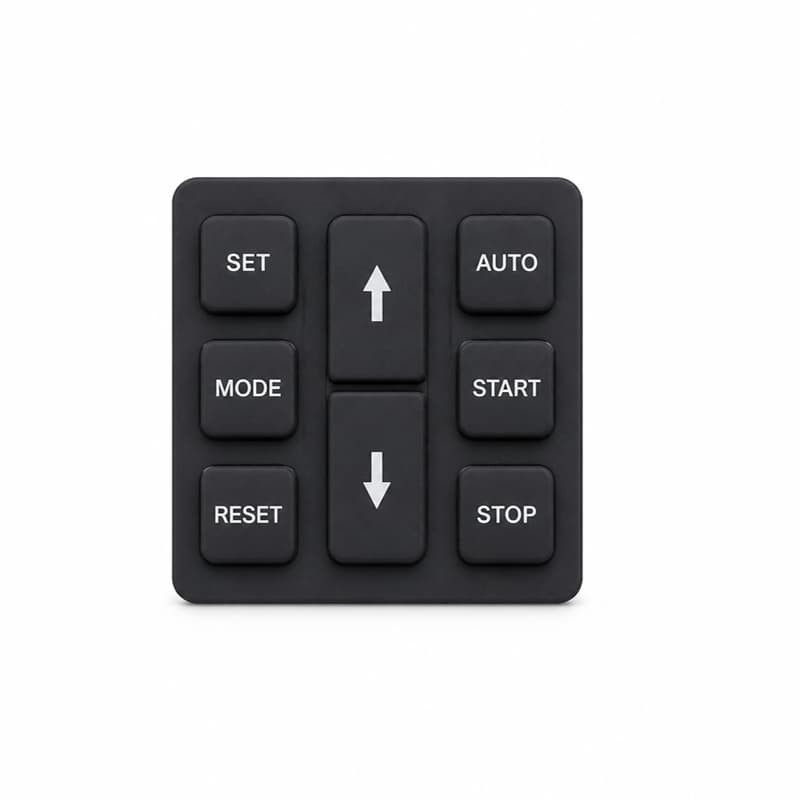
Navigation keys deserve a special mention. On a meter, the arrow or scroll keys are used more than any other key, often without looking. Giving them a distinct shape, position or feel reduces errors in conditions where the operator cannot watch the keypad.
Keeping Consistency When the Press Runs
A design that works on one sample can still fail as a product if the factory cannot repeat it. Mass production consistency for silicone keypads is controlled at several levels:
- The silicone compound itself — the same hardness and cure behavior batch after batch, which puts incoming material checks on the critical path.
- Molding parameters — temperature, pressure and time across the cycle; on multi-cavity molds, cavity balance decides whether the part from cavity 3 feels like the part from cavity 7.
- Cure consistency — under-cured parts are soft and can drift in force; over-cured parts become brittle. Cure state is checked by hardness and process control, not by eyeballing.
- Flash control and post-processing — flash left at the web edge changes force, and trimming must not nick the web.
- Conductive pill attachment and printing — both add variability if the process drifts.
Dimensional inspection, hardness testing, force testing, electrical testing and visual inspection are the standard quality gates, and the useful question for a buyer is not whether you inspect but which parameters you measure, on how many parts, and what the reject rule is. The first hundred parts and the hundred-thousandth part should feel the same, and that is a manufacturing discipline, not a design detail. The gap between a spec sheet and real-world handheld use has been covered before, including how cycle counts and datasheet claims should be read.
A Practical Checklist Before Customizing
Before a custom keypad project starts, these items should be on the table. Some are design inputs; some are decisions that change tooling and cost.
- PCB layout and pad finish — where the pads are, their size, and whether they are carbon, silver or gold plated.
- Housing — the opening geometry, the groove or ledge the keypad seals into, and the clearance behind the keys.
- Number of keys and layout — the full key set, including whether any keys share one web island.
- Force and travel requirements — expressed as a curve with tolerances, per key group.
- Conductive contacts — pill, printed ink or metal dome under silicone, and the target contact resistance range.
- Graphics and legends — process, colors, and durability against the cleaning agents used.
- Material and hardness — compound type, hardness range, temperature range, and any flame or chemical requirements from the actual application.
- Environmental requirements — the real IP target, the chemical exposure list, operating temperature, UV.
- Quantity and tooling expectations — expected annual volume, tooling life, and whether a pilot run is planned.
Most of these look obvious, but the ones that get skipped, pad finish, groove geometry, legend durability, are the ones that come back as complaints after the first field season. A keypad drawing and a board layout should be reviewed together; a keypad optimized in isolation usually has to be re-optimized once the housing is real.
Prototype vs. Mass Production: What Can Change?
Prototype samples feel good. Production parts occasionally do not. The difference is rarely malice; it is that a prototype and a production part are made differently. The prototype mold may be a soft or single-cavity tool, while the production mold is harder and multi-cavity with different thermal behavior. The material batch differs, and cure conditions on a production press differ from a lab press. Dimensional tolerance becomes realistic in production: the prototype was checked by hand, production is measured against limits. Conductive pill placement, printing and assembly are done by the people and processes that will actually run the product.
The consequence is production-intent validation. Samples from the production tool and process should be the ones used for force, electrical and seal verification. If a supplier only shows hand-built prototypes, the number to ask for is a pilot run, and the acceptance criteria should be defined before the pilot, not after.
What a Keypad Supplier Should Bring to an OEM Project
A silicone keypad supplier's real output is not the molded part; it is the engineering judgment around it. For a conductivity meter project, the useful contributions are a DFM review that checks the keypad against the PCB layout and housing geometry before tooling, keypad engineering for force curves, web geometry, material selection and sealing features, prototype samples to validate feel and fit, tooling designed to the expected volume, a pilot run for production-intent verification, mass production with in-line electrical and force testing, and a controlled process for engineering changes.
At FromRubber, we make custom silicone keypads and molded silicone parts; we do not build complete instruments. That boundary is deliberate. It means the review starts from the keypad upward, and the instrument decisions, PCB, housing, display, firmware, stay with the OEM, who gets a component partner focused on making the interface reliable. If you are at the specification stage for a conductivity meter keypad, the practical next step is to send the board layout and housing drawing together with your key list, and let the keypad side of the project start from those. The silicone keypad product pages show the range we produce, and the contact page is the direct way to start the review.
FAQ
Can a silicone keypad make a conductivity meter waterproof?
A keypad alone does not make an instrument waterproof, but it is a load-bearing part of the seal. The IP rating depends on the keypad-to-housing interface, sealing ribs, groove geometry and compression, as much as on the housing itself. Documented portable meters such as the WTW ProfiLine Cond 3110 combine a sealed silicone membrane keypad with an IP67 housing [1] [3], which is exactly how the two sides work together.
How much tactile feedback can a silicone keypad provide?
Enough to be documented as a feature. The Cond 3110's silicone keypad is described as having noticeable key clicks [1], the practical definition of tactile feedback in field use. The strength of the click is set by web geometry and snap ratio, not by the material alone [4].
How do the conductive contacts work?
Most custom keypads use a conductive pill bonded under the key that presses onto conductive pads on the PCB. Contact resistance, contact area, compression and alignment together decide whether the key closes reliably. Printed conductive ink is an alternative for lower-cost, lower-cycle designs [4].
What determines actuation force?
Peak force, snap point, return force, travel and tolerance, the full force curve. These are set by web geometry, silicone hardness and key size. The right approach is to define the curve against your requirements and validate it on production-intent samples, since the curve is specific to your design [4].
Is the keypad compatible with my PCB?
Compatibility is decided by pad position, pad finish and the keypad's registration. Share the board layout with the keypad supplier during the DFM review; pad alignment relative to the keys, and pad material, carbon, silver or gold, determine the contact design. A keypad designed without the board layout is a guess.
What about minimum quantities and tooling?
Tooling is the main fixed cost and is amortized across the production quantity. Mold cavity count should match expected volume, and tooling life should be stated. Ask for a pilot run before mass production; the tooling and process used for the pilot are what your product will actually be made with.
Related Reading
Silicone Keypad for Handheld pH Meter: How to Design a Waterproof Keypad with Clear Tactile Feedback
The same sealing and tactile questions, applied to the pH meter family.
What Handheld Meter Engineers Overlook When Specifying a Silicone Keypad
Common specification gaps that show up only after production starts.
Why Conductive Pillar Resistance Varies Across Silicone Keypad Batches
Why contact resistance drifts between batches and how it is controlled.
Sources and References
- Xylem Analytics, Conductivity portable meter ProfiLine Cond 3110, product page
- Xylem Analytics, WTW Cond 3110 Quick Start Manual
- haeberle LABORTECHNIK, Portable conductivity meter ProfiLine Cond 3110, product page
- Wetop Silicone, Silicone Keypad OEM Guide, Design, Actuation, Compliance, MOQ
The Bottom Line
The practical conclusion is straightforward: a conductivity meter keypad is a precision interface component, not a molded rubber cover. Its four jobs, mechanical, electrical, sealing and ergonomic, land in a few millimeters of silicone, and each job is set by decisions an OEM can review before tooling starts. When the four interfaces are balanced, the keypad is the part nobody notices. When one of them is wrong, it is the part everybody complains about.
For instrument teams, the cheapest fix is to treat the silicone keypad for conductivity meter projects as an engineered component from day one, with a force curve, a sealing interface, a contact specification and a production control plan behind it, not just a drawing of a rubber mat. The rest of the silicone keypad blog covers related ground, from waterproof handheld keypads to production consistency, and the inquiry page is open for the practical questions that a drawing cannot answer.